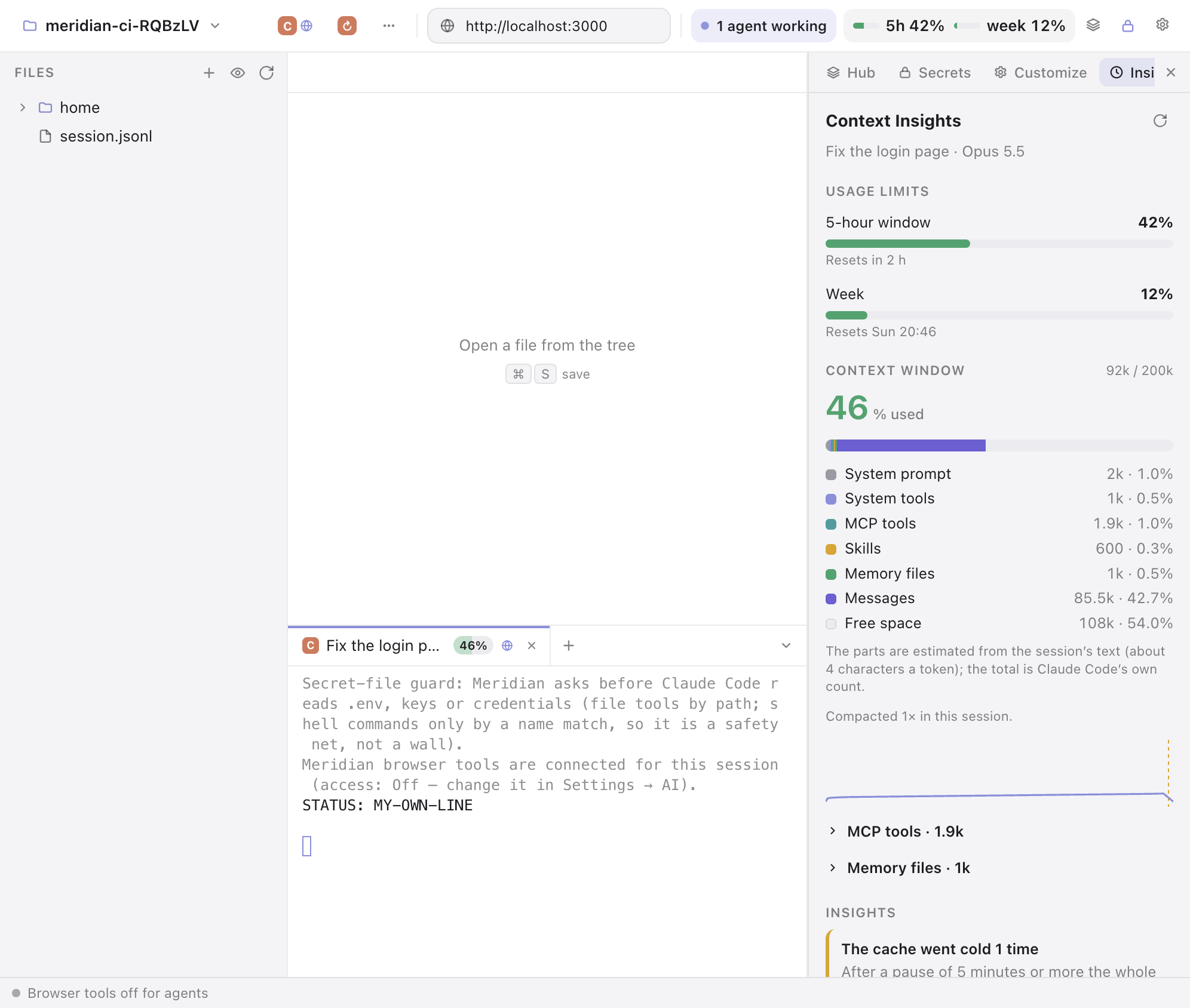
An MCP server in the browser
Any MCP client (Claude Code, Claude Desktop, Codex) can use 28 browser tools: tabs and spaces, reading pages, clicking and typing, screenshots, split view, Boosts, translation and the page's own dialogs. To connect it, open Settings › AI and click Connect next to Claude Code or Codex. Meridian shows the exact command and runs it after you confirm.
While an agent works in a tab, the page draws as if you were looking at it, even with Meridian behind another window or minimized. The tab you're on doesn't change.
Permission modes
| Level | What agents can do |
|---|---|
| Off (default) | Nothing. The control socket isn't even open. |
| Read only | List tabs and spaces, read pages, take screenshots, search history. |
| Ask before acting | Everything, but every navigation, click, keystroke or tab change waits for your OK. |
| Full control | Acts without asking, for agents you trust. |
- Running JavaScript in pages is a separate switch, off by default.
- Clients connect over a local socket (a named pipe on Windows) with a random name and token, new on every start. There's no TCP port, so websites can't reach it.
- Page text given to models is marked as untrusted, and models are told never to follow instructions found in pages.
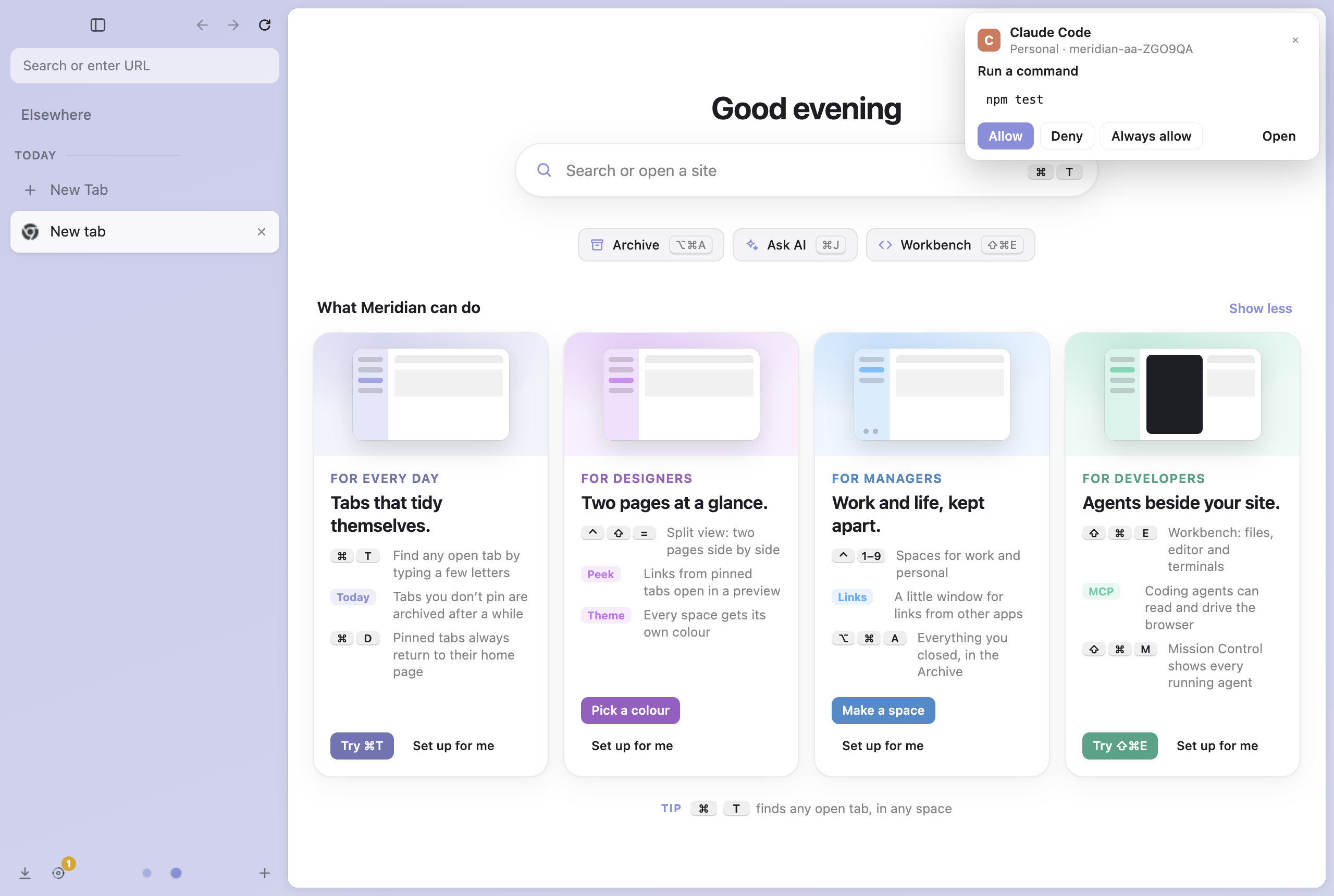
The Workbench: Claude Code next to localhost
The Workbench (⇧⌘E, Ctrl+Shift+E on Windows) is a browser tab with a file tree, the Monaco editor, git (Source Control) and real terminals. It has one-click launchers for Claude Code, Codex, Gemini CLI, Copilot, OpenCode and more. Put it in split view next to your app on localhost. Agents started there get the browser tools for that session only, and your global configs aren't touched.
- Context Insights: each Claude Code tab shows how full its context is. One click explains where the tokens went and shows your 5-hour and weekly limits.
- Claude Code tabs come back after a restart or an update, with their names and permission mode.
- Mission Control (
⇧⌘M): every agent in every space, what it's doing, and which one waits for you. - When an agent needs a decision, a card shows up wherever you are, so you don't have to watch the terminal.
- A secrets vault gives API keys to agents only as environment variables, and Meridian asks before Claude Code reads a
.envor a key file. - Sandboxed agents with Docker or OrbStack: the agent sees only your project.